Welcome to the
Marine Boarding Advice System
Apply for your Pre-Arrival and Pre-Departure Boarding Advices in just a few simple steps.
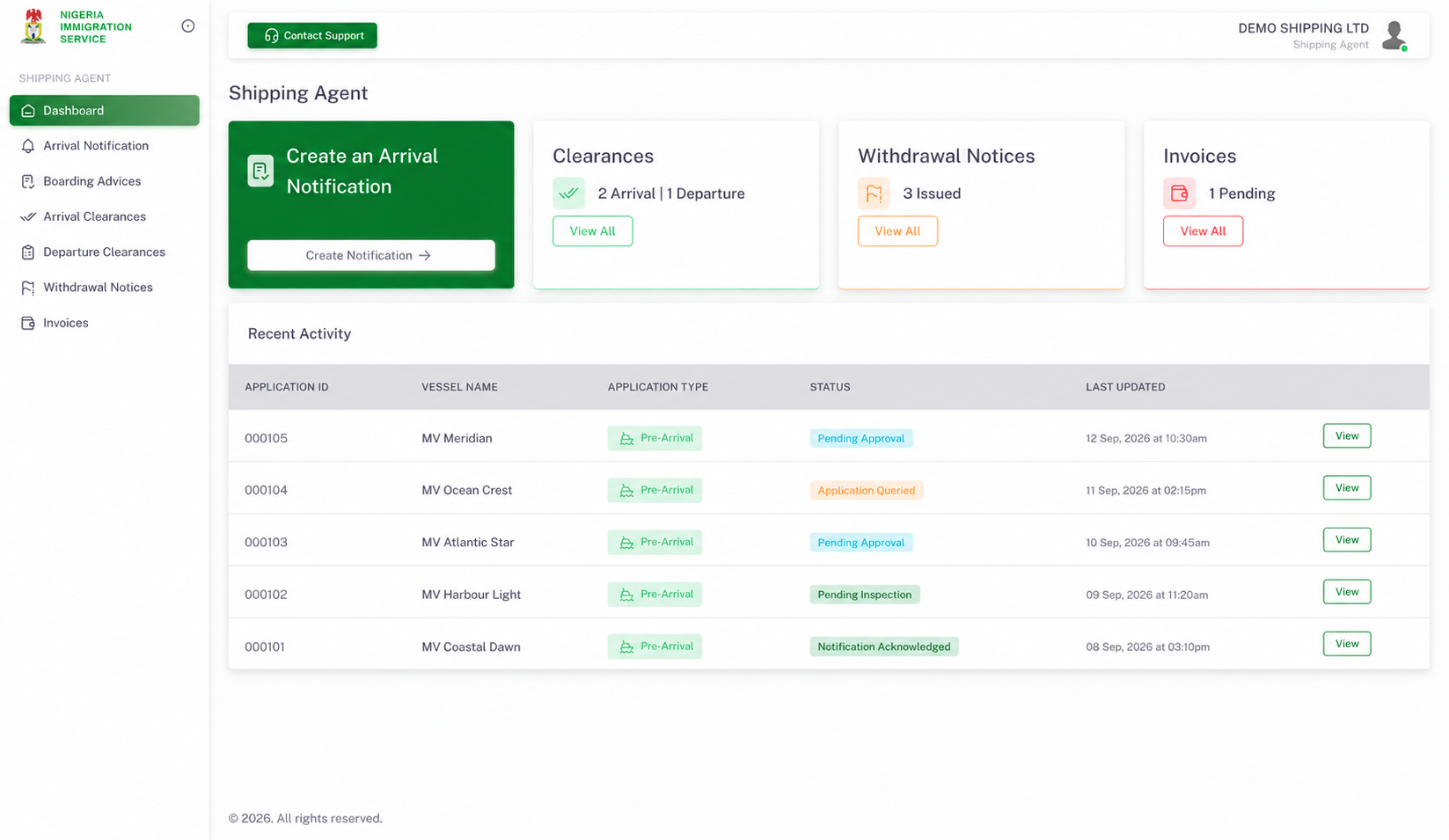
Manage your vessel applications in one place
Tools for shipping companies and agents throughout the boarding advice process.
Company verification
Submit your company profile and CAC, NPA and NIMASA documents, track verification, and respond to requests for corrections.
Arrival and departure notifications
Provide vessel and voyage details through the arrival and departure workflows in your company account.
Application guidance
Follow the required steps in your account and see what information is needed as your application progresses.
Application tracking
View application status, check outstanding steps, and review feedback when corrections are requested.
Invoices and payments
View issued invoices and follow the payment options available in your account.
Clearances and notices
Access issued arrival and departure clearances and withdrawal notices from your dashboard.
From arrival notification to application review
Submit your notification, follow the next steps in your account, and track progress through NIS review.
-
Step 1
Prepare your company profile
Register, verify your email, and provide your company registration details and CAC, NPA and NIMASA documents for verification.
-
Step 2
Submit the arrival notification
Enter the vessel and voyage details, upload the ship’s article, and provide the contact information required on the form.
-
Step 3
Complete the application requirements
After NIS acknowledgment, follow the instructions in your account to coordinate the remaining information and documents needed for review.
-
Step 4
Track review and next steps
Follow the status in your account, respond to queries, and review issued invoices, clearances or notices as the application progresses.
Notification acknowledgment is a step in the application process. It is not an approval or clearance.
Have your information ready
Accurate company, vessel and voyage details help you complete the notification and avoid missing information.
Create a Company AccountCompany information
- An email address you can access
- Company profile and contact details
- CAC registration number and certificate
- Nigerian Ports Authority Certificate of Registration
- NIMASA Registration License
Arrival notification
- Vessel name, IMO number, flag and type
- Ports, berth or terminal, voyage dates and purpose of entry
- Ship’s article in PDF format
- Required vessel contact information
Follow the required fields and upload limits shown on each form. Check your account for verification updates and application feedback.
Frequently asked
questions

Practical answers about company registration, notifications and application tracking.